 Skyport
Account
Updated November 23, 2026
What it is for
The Account page (menu at the top right) gathers your details, your sign-in security and your SSH keys.
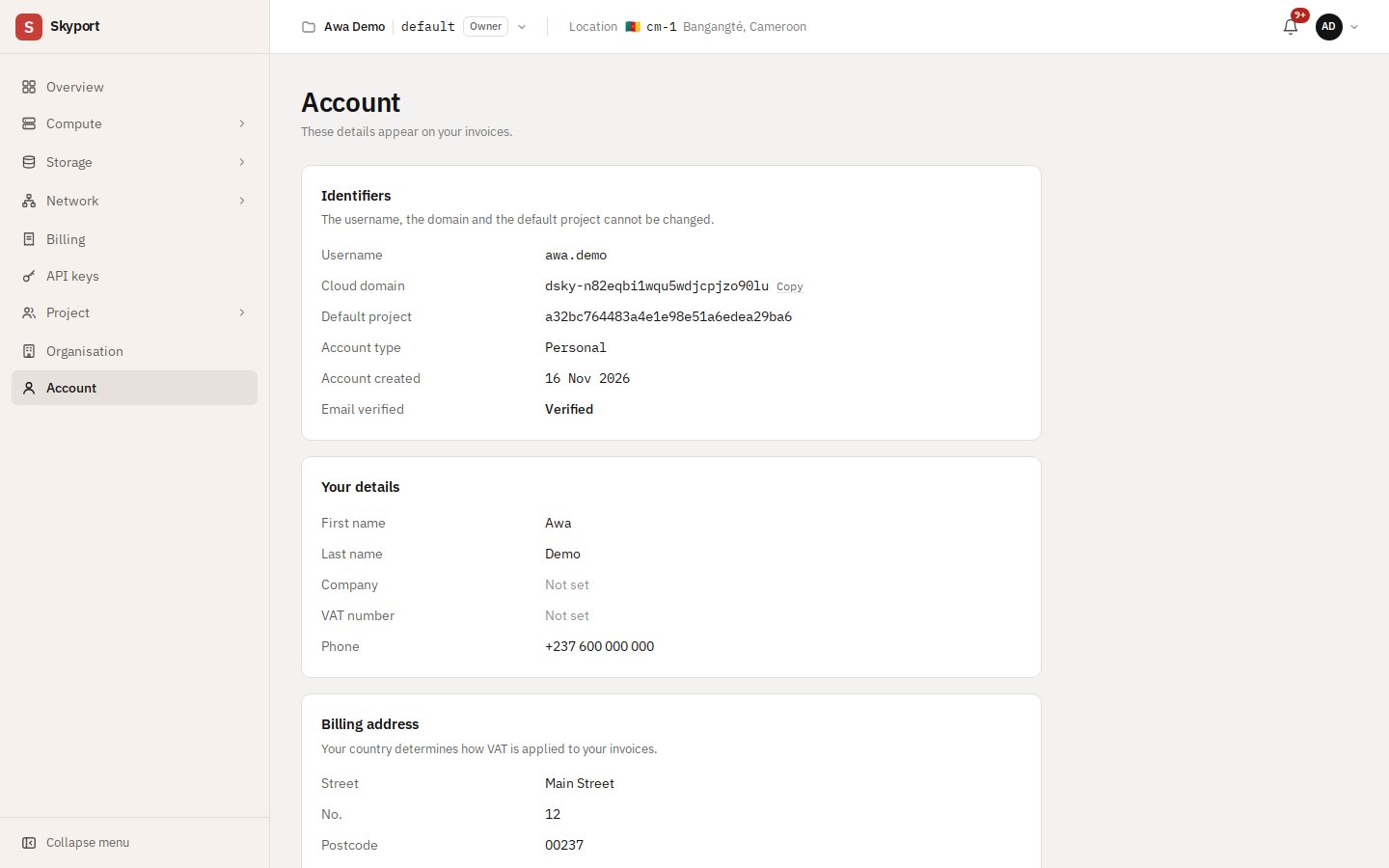
Your details#
They repeat what you entered at sign-up and appear on your invoices. The username, domain and default project cannot be changed. To change your billing address, which decides the VAT, write to us.
Protect your account#
- Password: change it.
- Two-factor authentication: on top of the password, a six-digit code from an app on your phone (Google Authenticator, Microsoft Authenticator, FreeOTP…). Even if someone steals your password, they cannot get in. Recommended.
- Profile: your name and sign-in email.
Turn on two-factor authentication#
- Install an authenticator app on your phone.
- In Account, choose Two-factor authentication. The secure sign-in page opens.
- Scan the QR code with the app, then enter the code it shows.
What you should see
At every sign-in, after the password, Skyport asks for the app's code.
Get help#
The Contact support card on the Account page opens our help desk in a new tab. Describe what you need there; our team answers by email. Use it to ask for a higher limit, to report a problem or to ask about a payment.
Leave an organisation, delete your account#
Leaving an organisation or deleting your account neither stops nor deletes its resources. Only closing an organisation does.
- Leave the organisation: you lose access to all its projects; the ones you own pass to the organisation's owner.
- Delete my account: possible once you own no organisation. Type your username or email to confirm.
Close an organisation#
The owner closes it from Organisation › Close the organisation. What happens next:
- At once: servers are stopped and locked, public IPs released, and nothing more can be created. Only the owner keeps access.
- For 14 days: volumes, snapshots, images and backups are kept, and you can cancel the closure.
- After that: everything is deleted for good. Nothing can be recovered.
A final statement is drawn up. The remaining paid credit is refunded after review; promotional credit is lost.