 Skyport
Backup policies
Updated November 23, 2026
What it is for
A backup policy copies your volumes and instances automatically, on a schedule (every night, every week…), and deletes the oldest copies beyond the number you choose.
Backups are not available yet. Choose the snapshot copy type: a policy that makes backups would fail on its first run. See Limits and quotas.
Create a policy#
- In the menu, choose Storage › Backup policies, then Create policy.
- Fill in the window as below.
- Choose Save.
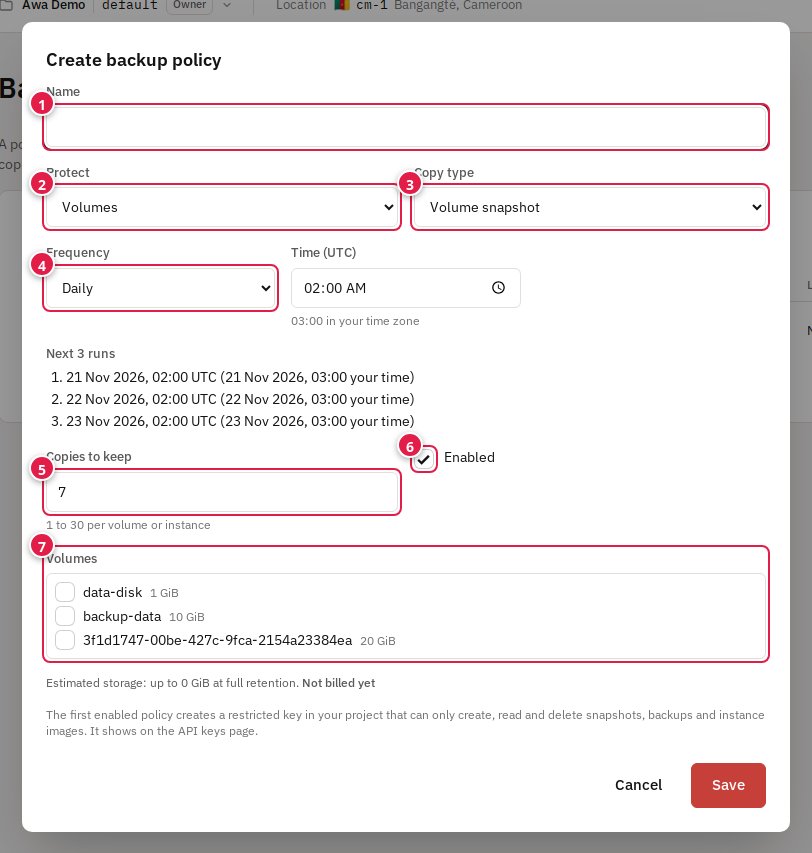
- Name: for example
nightly. - Protect: Volumes or Instances.
- Copy type: a snapshot (quick) or a backup (full copy, kept apart). See Snapshots and backups.
- Frequency: daily, weekly or every N hours, with the Time (UTC) next to it. Your local time shows below, with the next three runs.
- Copies to keep: 1 to 30. Beyond that, the oldest automatic copies are deleted.
- Enabled: untick to pause the policy.
- Tick the volumes (or instances) to protect.
What you should see
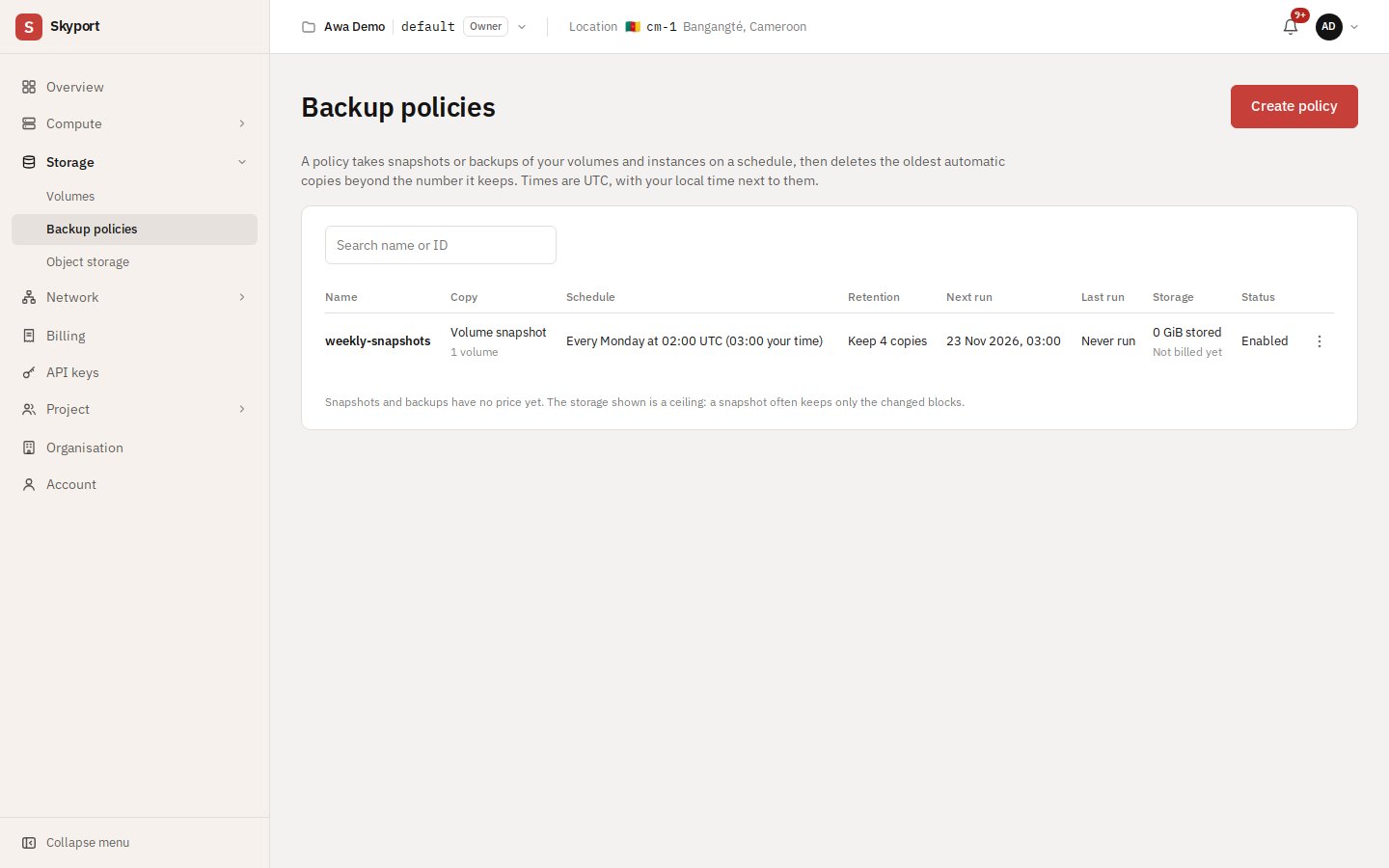
The policy shows in the list. Its page shows the history of its runs, successful or not. A failed run is also flagged by the bell.
The first policy you enable creates a restricted API key in your project, which can only create, read and delete snapshots, backups and instance images. It shows among your API keys as “Backup policies (restricted)”: do not revoke it while you use policies.