 Skyport
Floating IPs
Updated November 23, 2026
What it is for
A floating IP is a public address, reachable from the internet. You attach it to an instance to run a website on it or to connect to it from home. It is “floating” because you can move it from one instance to another without changing the address.
Assign a floating IP to an instance#
- In Compute › Instances, the instance's ⋮ menu › Related resources › Associate Floating IP.
- Choose an address you have already reserved, or reserve a new one, then confirm.
What you should see
The public address shows in the instance's Floating IP column. For it to answer, also open the ports you need: see Security groups.
Reserve and manage addresses#
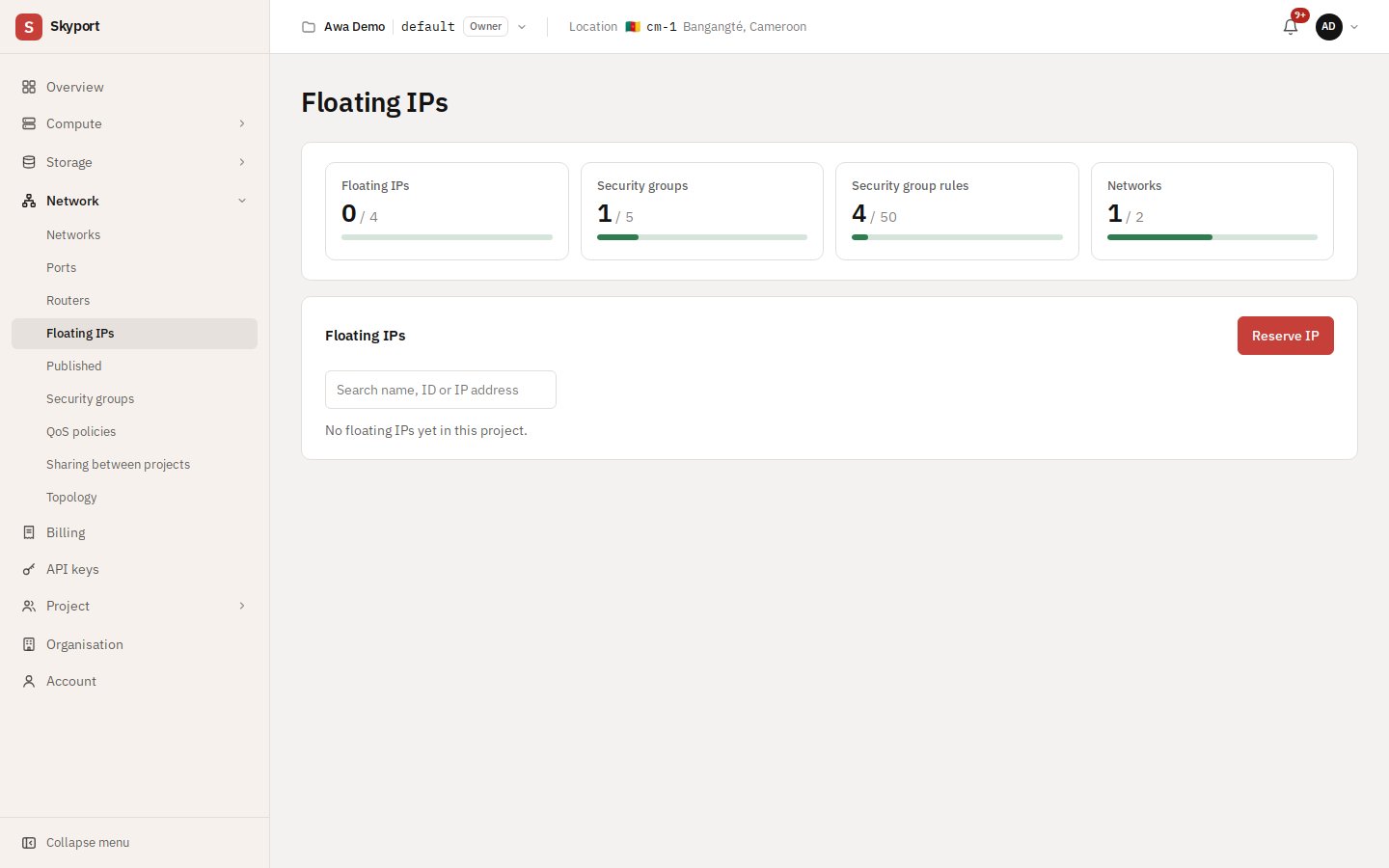
- In Network › Floating IPs, choose Reserve IP, then fill in the window below.
- In the address's menu, Attach to instance. Leave the instance address on automatic unless the instance has several interfaces.
- To give it back: Release.
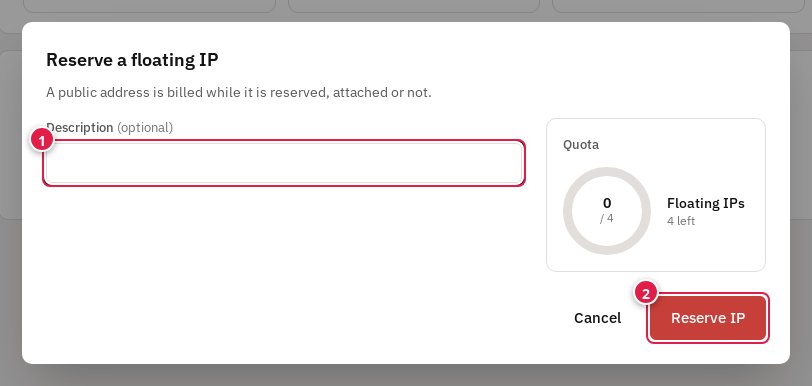
- Description (optional): what the address is for, for example
website. - Reserve IP: the address is reserved for your project.
A floating IP is billed for as long as it is reserved, attached or not, and it stays reserved after its instance is deleted. Release the ones you no longer need.
You do not have to reach an instance through a floating IP yourself. Publishing an application or a TCP port attaches one and prints the address to use, for example ssh -p PORT user@edge.apps.skyengpro.com. See Publishing.