 Skyport
Flavors
Updated November 23, 2026
What it is for
A flavor is an instance size: how many virtual processors (vCPU) and how much memory (RAM) it gets. The bigger the flavor, the more powerful the instance, and the more it costs.
See the flavors and their prices#
- In the menu, choose Compute › Flavors.
- Sort by column, or use the category tabs when they are shown. Click a flavor to see its detail and the instances using it.
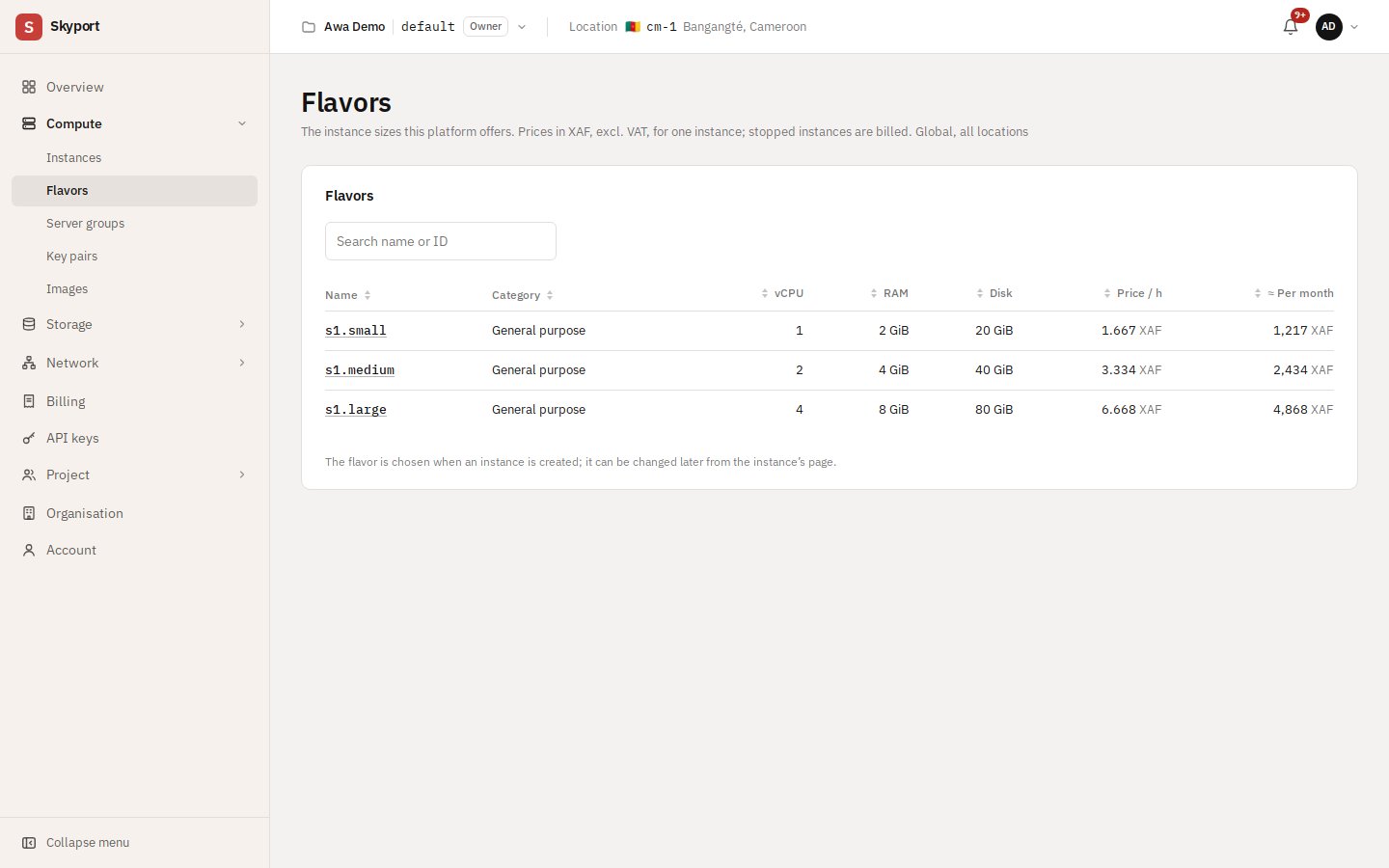
Prices are in CFA francs (XAF), excluding VAT, for one instance. The system disk is not included: it is billed as a volume.
Which flavor should I choose?#
| Use | Starting point |
|---|---|
| Trying things out, small website, internal tool | 1 vCPU, 2 GiB of RAM |
| Website with a database, business application | 2 vCPU, 4 GiB of RAM |
| Busy database, several applications | 4 vCPU, 8 GiB of RAM or more |
Start small: you can change the flavor at any time with Resize. See Change the size.
Categories#
Flavors are grouped by use. The Flavors page, the Resize window and the creation wizard show the groups as tabs, and the Category column says which group a flavor belongs to:
- General purpose
- A balance of processor and memory. The right choice if you are unsure.
- Dedicated
- Resources reserved for your instance alone, for steady performance. It splits into Compute optimized (more processors for the same memory: calculations, compiling, image or video processing), Memory optimized (more memory for the same number of processors: databases, caches) and Custom.
Today only General purpose flavors are offered, so no tabs are shown. A tab appears by itself when another category becomes available.